Give it the whole job, not a list of small ones
Most people use a model this capable for emails and quick questions. It does its best work the other way round: one difficult job, clear instructions, and room to finish.
Anthropic's own guide to working with Fable 5.2 says the model suits long tasks where nobody needs frequent updates, and that stopping before the work is complete is rarely the right call. The brief in this guide is built on that, plus one habit of mine: tell it what a good result looks like before it starts.
| What you need | Who has it |
|---|---|
| Claude Fable 5.2 | Every paid plan. It is not on the Free plan. |
| Fable 5.2 on Pro | Included through 16 November 2026, up to half your weekly usage. After that, usage credits. |
| Fable 5.2 on Max and Ultra | Included, up to half your weekly usage limits. |
| Memory | On by default on Free, Pro, Max and Ultra. |
| Searching past chats | Paid plans. |
| Connectors | Available to all users. |
Three things to check before you paste anything
The more Claude can read for itself, the fewer questions it asks you and the sharper the plan.
1. Pick the model
- Open Claude on the web, the desktop app or your phone and start a new chat.
- Open the model picker and select "Fable 5.2". Your default model does not change, so you choose it for this chat.
2. Check memory
- Go to Settings, then "Your Claude".
- Make sure "Generate memory from chats" is on. This is how Claude builds up what it knows about you.
- On a paid plan, make sure "Search and reference chats" is on too, so it can look through your earlier conversations.
- Select "Manage" next to "Your memory" to see what Claude remembers. Fix or delete anything that is wrong or out of date before you begin.
3. Connect the tools that hold the truth
- In Settings, go to Customize, then Connectors. Or in a chat, click the "+" at the bottom left, hover over "Connectors" and select "Manage connectors".
- Connect the ones that show how your business really runs. Anthropic's own examples include Gmail, Google Calendar, Google Drive, Slack and Microsoft 365.
- Your calendar shows where your time goes. Your email shows which customers and leads went quiet. Your files hold your prices, proposals and numbers.
Copy this, paste it, send it
One message hands over the whole job. Paste it into the new chat with Fable 5.2 selected. You do not need to change a word, but you can.
I am handing you one job, and I want you to own it from start to finish: work out where my business and my income are falling short, and build my plan for 2027.

Why this matters: 2027 starts in a few weeks. I want to walk into it knowing exactly where my money and my time are leaking, and what to do about it month by month. I would rather have a hard truth I can act on than a comfortable summary.

HOW TO WORK

1. Start with what you already have. Read your memory of me, search our past chats, and look through the tools I have connected, such as my email, calendar and files. This is read-only. Please do not send, edit, delete or create anything in my connected tools, because this is a review and nothing needs to change yet. If changing something would help, tell me and I will decide.

2. Tell me in a few lines what you found and what you could not see.

3. Then ask me your questions, all in one message, numbered. Ask only what you could not find for yourself and what would change the plan. About ten is right. Cover: what I sell and at what price, where my customers come from, my revenue and costs for the last twelve months (rough numbers are fine), where my week really goes, what I keep putting off, and the income and the life I want by December 2027.

4. Once I answer, finish the whole job in one go. Please do not stop to check in between sections. If an answer is missing, make a sensible assumption, label it as an assumption, and keep going.

WHAT GOOD LOOKS LIKE

- A gap report: the five biggest gaps, ranked by how much money or time each one costs me. For each gap: what it is, the evidence (something I told you or something you read, and which), what it is probably costing me with the arithmetic shown, and how sure you are.
- Three priorities for 2027. Not ten. For each one: why it comes before the others, and what I stop doing to make room for it.
- A month by month plan from January to December 2027, with one clear outcome for each month.
- The first 30 days broken into weeks, with a first action small enough to do tomorrow.
- One number to track every month, so I know whether the plan is working.
- A short list of what you could not verify and what I should check myself.

RULES THAT MATTER, AND WHY

- Use only real numbers. If you do not have a number, say so and show how you estimated it. An invented figure would send me in the wrong direction.
- Be direct. If my pricing, my offer or my own habits are the problem, say it plainly.
- This is planning, not legal, tax or investment advice. Flag anything I should take to a professional.
- Write for someone reading this in three months with none of today's context. Plain sentences, no jargon.

When you are done, put the full plan into a document I can keep and edit, and end with a ten-line summary that stands on its own.
Why it is written this way
If you have nothing connected
Add this as a last line under the brief before you send it.
I have not connected any tools and you have little memory of me, so please lean on the interview. Ask up to fifteen questions in one message, and start with the ones about money.
Answer once, and answer honestly
Claude comes back with a short note on what it found, then its questions in one message. Your answers decide how good the plan is.
- Answer every question in one reply, numbered the same way.
- Give real numbers where you have them, and say "roughly" where you do not. A rough true number beats a neat guess.
- Be honest about what you keep putting off. That is usually where the biggest gap sits.
- Say what you want your life to look like, not only your revenue. The plan is built around both.
- If you do not know an answer, say so. The brief tells Claude to make an assumption, label it and carry on.
Then leave it to work. It is meant to finish the whole job without checking in.
Read it like a sceptic
You get a gap report, three priorities, a month by month plan, your first thirty days and one number to track. Before you act on any of it, check it.
Two follow-ups worth keeping
Show me the evidence for gap number [number]. Which parts did I tell you, which did you read, and which are your estimate? Then redo the arithmetic step by step.
Rebuild the plan with this change: [for example, I can only give this ten hours a week]. Keep the three priorities unless the change breaks one of them, and tell me what moved.
A plan you open once is not a plan
The brief asks for the plan as a document. Keep it somewhere Claude can find it again, and review it at the start of every month.
- Your plan is saved in the Artifacts tab in your Claude sidebar. You can edit it there, and export it to Word, PDF, Markdown or Google Docs.
- Create a project called "2027 plan" and add the document to it. A project keeps its own chats, files and instructions together.
- On the first working day of each month, open that project and send the check-in below.
It is the start of a new month. Open my 2027 plan and run my monthly review.

Ask me, in one message: what I finished last month, my tracking number for the month, and what got in the way. Then tell me plainly whether I am on plan, update the months ahead if the facts have changed, and give me this month's one outcome with its first action. Keep it short. If I am drifting from my three priorities, say so.
Reading this after 16 November?
On the Pro plan, Fable models go back to running on usage credits when the included week ends. You have two ways to carry on.
On Max and Ultra, Fable models are part of the plan, up to half your weekly usage limits.
Muhammad Asmal
Muhammad Asmal is an AI business growth strategist and the founder of Asmal Digital and AI Lead Builder. He helps business owners put AI to work in practical ways, drawing on more than 13 years of digital marketing agency experience. He has delivered in-person AI workshops across the US, South Africa and Dubai, and his AI education content has passed 10 million views across TikTok and Instagram.
Build with a community behind you.
Join the AI Lead Builder community for practical support putting AI to work in your business.
Your membership brings together weekly coaching with Muhammad, training and call replays, business software, and the Agency OS plugin.
Learn and get help
Weekly coaching, training, and a community of business owners.
Build and put it to use
Agency OS plus software for your CRM, funnels, and follow-up.
Hear it from members, on camera
Straight from the community chat
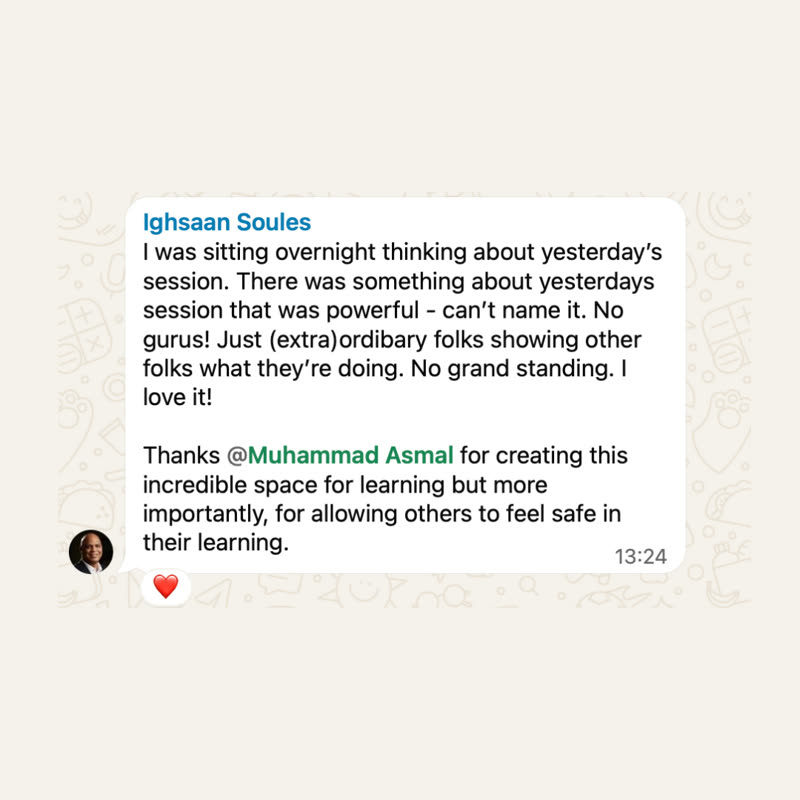

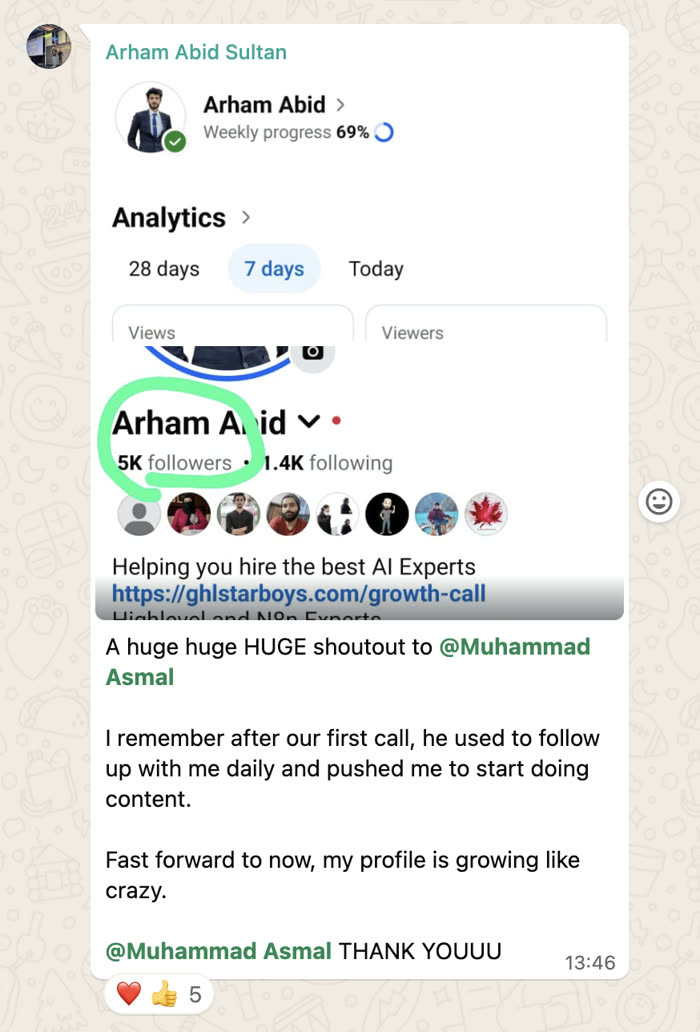
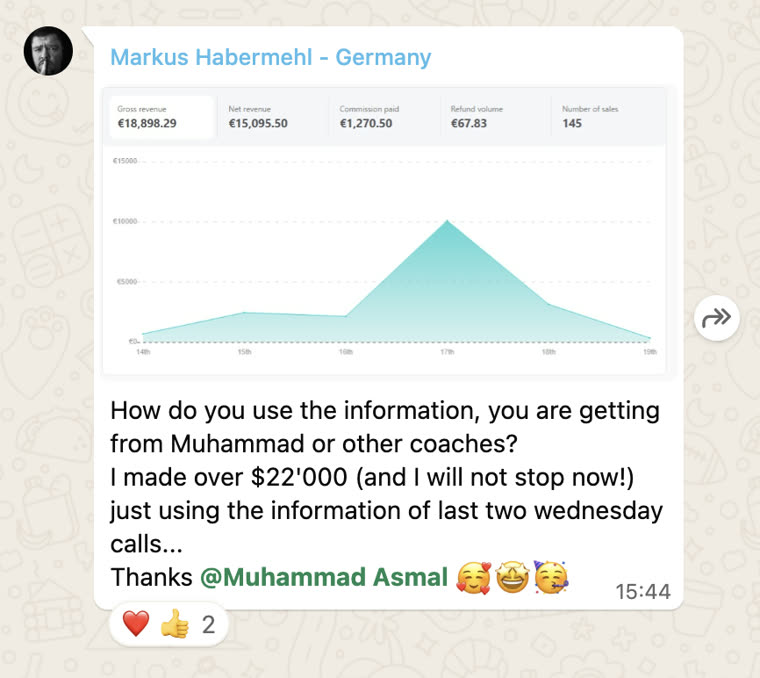
Shared with each member's permission. Individual results vary.
Cancel anytime.
Join AI Lead BuilderSee the membership details and current offer on the next page.